

Last updated 15th January 2025
SystmOne users are being asked to enable the Valida key in SystmOne following a recent Valida update. This is not expected behaviour.
SystmOne will display a pop up like the below, which cannot be approved by the End User and if closed, will pop up again every minute or so.

If the user restarts their device, they will no longer see the pop up but Valia will not load the UCP.
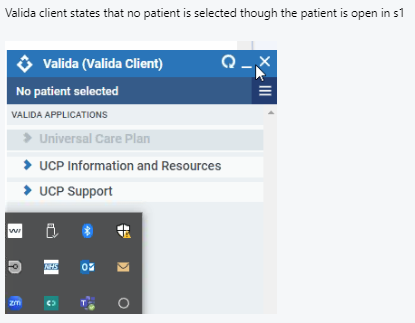
Users cannot use their SystmOne application to access the UCP until this is resolved.
Issue Resolution Status:
This issue has now been resolved.
End User action: please update your Valida client to the most current version by following these steps and your UCP access should be restored:
Step 1:
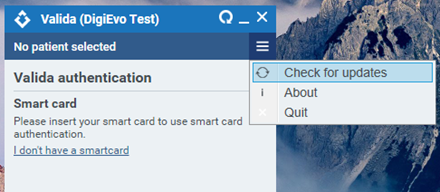
Click the three lines in the top right corner of the Valida client and select ‘Check for updates’. This will ensure Valida is up to the most current version:
Step 2:
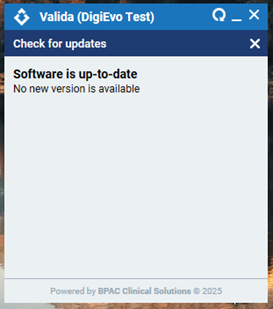
Once you see the message to the right, press the bottom ‘x’ in the right corner:
Step 3:
Open a patient in SystmOne. If resolved, Valida will look similar to the right, with the patient’s name you have selected, in place of ‘Donotuse’. If you are seeing a different error, please contact our helpdesk.